





Turn Your image Into a 3D Caricature Using Gemini.
Gemini’s Nano Banana mode turns your photo into a cute 3D caricature. Just upload a clear image and use a detailed prompt to get smooth, toy-like results. Style, lighting, and background make it pop.

How to Turn Your Photo Into a 3D Caricature Using Gemini
If you’ve been online these days, you probably have seen those cute toy-like versions of people popping up everywhere. They look like mini action figures, with big shiny eyes, smooth skin, and cartoon-style faces. These are called 3D caricatures, and they are going viral like crazy. Everyone is posting them—students, celebs, gamers, even people who barely touch social media.
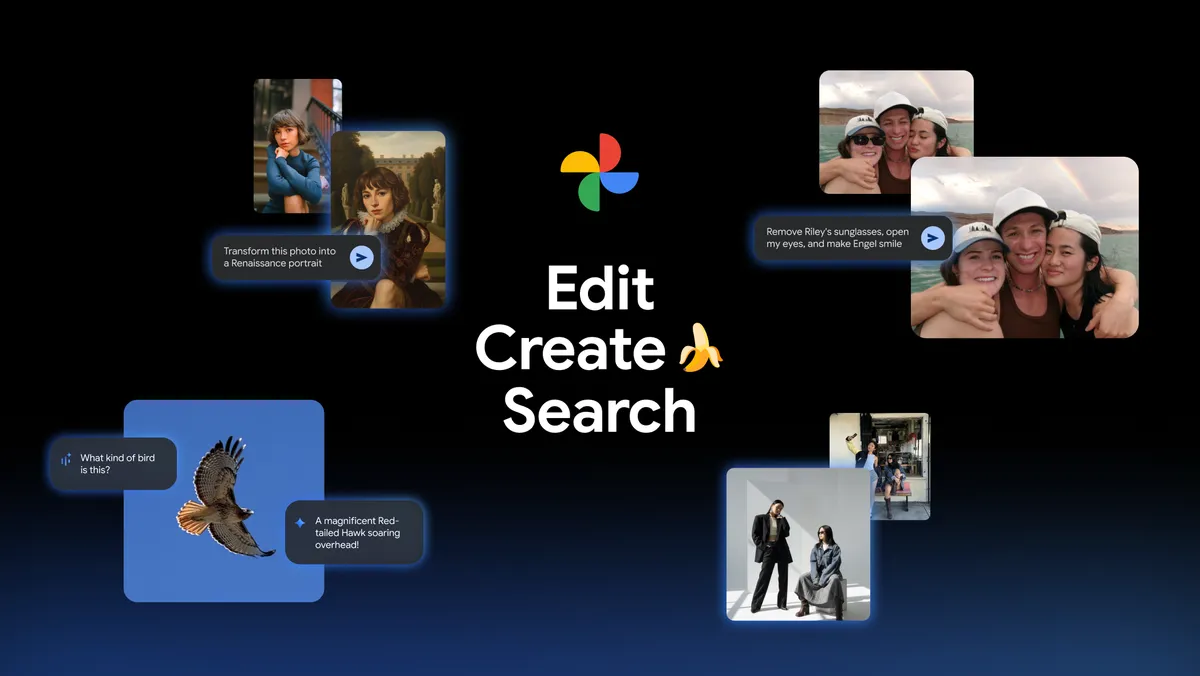
So what made this trend explode? Mostly, it’s because tools like Google Gemini made it super easy. You don’t need to be a designer, artist, or some pro editor. You just upload a normal photo, write a good prompt, and boom—you get a cool 3D toy version of yourself. Gemini’s “Nano Banana” or Gemini 2.5 Flash Image mode is what does all the magic behind the scenes.
In this blog, I’m gonna show you how the whole thing works and how you can write the perfect prompt to get the cleanest and cutest 3D caricature every time.
What Exactly Is Gemini’s 3D Caricature Feature?
Gemini has a special image generation and photo-editing ability that turns your real photos into 3D-looking characters. Think of it like a mini-figure of yourself—smooth skin, bright colors, big eyes, and kind of toy vibes.
You don’t need any skills for this. Seriously. No 3D modelling, no Photoshop, nothing complex. All Gemini needs is:
-
A clear photo of you
-
A detailed prompt
That’s it. Gemini does all the hard work. It’s almost like having a tiny digital artist living inside your laptop (but one who doesn’t complain or take breaks).
How the Nano Banana / Gemini 2.5 Flash Image Mode Works
The funny-named mode “Nano Banana” is actually made specially for cartoon, 3D figurine, and caricature styles. It’s trained (basically taught many examples) to understand how a human face becomes a cute cartoon version.
People are using it for all kinds of things:
• Profile pictures
• Avatars for games
• Gifts (like a couple’s 3D photos)
• Digital collectables
• Branding characters
• Even as display pics because why not
This mode picks up small details from your photo—like your hairstyle, eyebrows, smile—and exaggerates them in a cute way. That’s why it looks so fun and shareable.
What Makes a Strong 3D Caricature Prompt
Here is the part most people skip, but it’s the most important one. If you write a lazy prompt like “make 3D version,” your result will be random and sometimes weird. A good prompt tells Gemini exactly what you want.
To build a strong prompt, focus on these things:
Subject
Who or what is in the image? Mention “the person in the uploaded photo” so Gemini knows what to transform.
Style
Say you want a 3D caricature, toy figure, cartoon style, or figurine look. This guides the overall design.
Exaggeration
Caricatures exaggerate stuff—bigger eyes, expressive face, round cheeks. Adding this helps the output look more lively.
Texture and Materials
If you want a smooth toy look, mention things like “plastic,” “resin,” “glossy,” or “smooth surface.”
Lighting
Soft lights give a friendly vibe. Studio lights give a clean, sharp look. Mentioning lighting improves quality more than people expect.
Background
A simple bold color works best, because it makes your 3D figure pop out more. Or you can choose a scene like “studio background” or “outdoor cartoon world.”
Being specific in each part = better, more accurate 3D caricatures.
Step-by-Step: How to Make Your 3D Caricature in Gemini
Step 1: Open Gemini’s Image Editor or Nano Banana mode. Choose anything related to 3D, figurine, or cartoon output.
Step 2: Upload a photo that is clear. Your face and upper body should be visible. No heavy shadows. No blur.
Step 3: Type your detailed prompt. Mention style, colors, lighting, pose—everything that matters.
Step 4: Generate it. Look at it closely. If something feels off, don’t worry. Adjust the prompt and try again. Maybe change eye size, outfit color, or background. A few tweaks usually give perfect results.

3D Caricature Prompt
Here is a solid prompt you can copy:
“A highly stylized 3D caricature of the person in the uploaded image, with expressive facial features, and playful exaggeration. Rendered in a smooth, polished style with clean materials and soft ambient lighting. Bold color background to emphasize the character's charm and presence.”
This works great in Gemini because it covers style, material, lighting, and mood all in one go.
What's Your Reaction?
 Like
0
Like
0
 Dislike
0
Dislike
0
 Love
3
Love
3
 Funny
0
Funny
0
 Angry
0
Angry
0
 Sad
0
Sad
0
 Wow
0
Wow
0