



Prompt to Create a Stunning AI Portrait with Perplexity AI
Learn how to make your own trending AI portrait using Perplexity AI! This easy guide explains how to use a detailed prompt to generate a realistic, stylish, and 100% face-matching image — no editing skills needed. Perfect for social media or profile pictures.

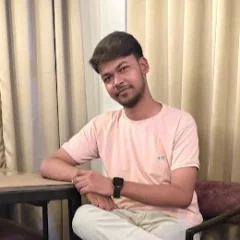
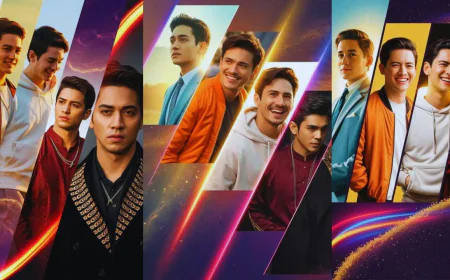
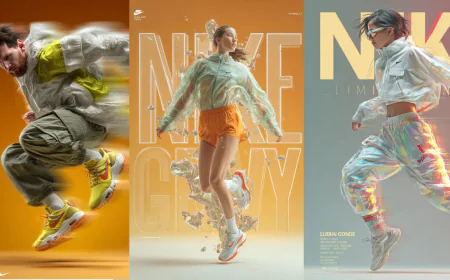
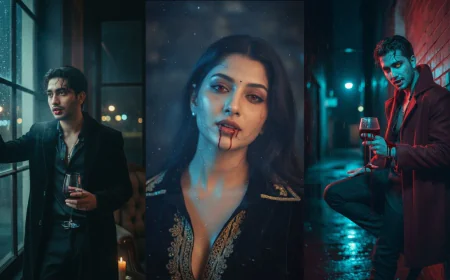
If you’ve been seeing those cool, modern AI portraits online and wondering how people make them, you’re in the right place! With Perplexity AI, you can create your own stylish portrait that looks professional, creative, and totally “you.” All it takes is the right prompt — that’s the magic line you give the AI to tell it exactly what kind of photo you want.
Let’s walk through one great example and see how it works.
🌟 The Magic Prompt
Here’s a sample prompt you can use to create your own trending AI portrait:
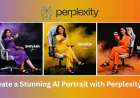
"A young Indian woman, mid-20s, with long dark hair and a warm smile, sits centered in a gaming chair. She wears an orange jumpsuit and black sandals. She holds a small, square emblem with a logo towards the viewer. The woman has a fair complexion. Her expression is cheerful and engaging, looking directly at the camera. She's sitting comfortably with her legs crossed. The chair is a white and gray gaming chair. The background is a gradient of black and orange, with orange vapor-like effects spreading outwards. Text in the upper right corner reads "SHIVANI," along with her last name in a cursive font. The lighting is bright and even, casting soft shadows. The composition is a portrait-style shot, with a focus on the subject. The atmosphere is modern and promotional. The face matches 100% with the attached image."
Sounds pretty detailed, right? That’s the secret! The more clearly you describe what you want, the better the AI can understand and create it. When you say “100% match the face,” you’re telling the AI to keep your real face exactly the same — so it doesn’t change how you look.
🖼️ How This Prompt Works
Let’s break it down in simple words:
- Sitting on a gaming chair: This gives the photo a relaxed and modern style — something you might see in gaming or tech ads.
- Orange jumpsuit and black sandals: The orange outfit pops beautifully against the darker background, while the black sandals add a touch of balance.
- Warm smile and direct eye contact: This makes the portrait look friendly and confident — perfect for profile pictures or social media posts.
- Black and orange background with vapor effect: These colors together give the photo a cool, cinematic vibe, like a stylish poster.
- Name “SHIVANI” and a cursive signature: Adding your name or signature gives the image a personalized, professional feel — like your own mini brand.
- Even lighting and soft shadows: This helps the picture look realistic and well-balanced, just like a real photoshoot.
Every part of the prompt is like a small instruction for the AI. Think of it as talking to a digital artist — the more specific you are, the closer the result gets to what you imagine.
⚙️ How to Generate It in Perplexity AI

Making this image is actually really simple! Just follow these steps:
- Go to Perplexity.ai and sign in (or create a free account).
- Type the prompt — Copy the exact text above and paste it into the chat box.
- Add your photo (optional) — If you can upload an image, choose one where your face is clear. That helps the AI make a perfect match.
- Wait a few moments — The AI will process your prompt and generate your portrait.
- Save and share — Once it’s ready, download the image and show it off! You can post it on Instagram, use it as your DP, or even print it.
💡 Why It’s So Popular
AI portraits are trending because they let you be creative without needing any design or editing skills. You just describe what you want, and in a few seconds, the AI turns your words into a real image. It’s like magic — and it’s all powered by smart technology.
What makes this kind of image stand out is the balance of realism and creativity. The detailed background, vibrant outfit, and cheerful expression make it look like something out of a professional studio shoot.
✨ Final Thoughts
Creating AI portraits with Perplexity AI is an easy and fun way to express yourself. You don’t need to be a designer or a photographer — just play with prompts and see what happens. Try changing the outfit color, pose, or background to make your own unique version.
With the right words, your imagination becomes a picture. So go ahead — type your own prompt, add your photo, and let Perplexity AI create your next stunning portrait!
What's Your Reaction?
 Like
0
Like
0
 Dislike
0
Dislike
0
 Love
0
Love
0
 Funny
0
Funny
0
 Angry
0
Angry
0
 Sad
0
Sad
0
 Wow
0
Wow
0