
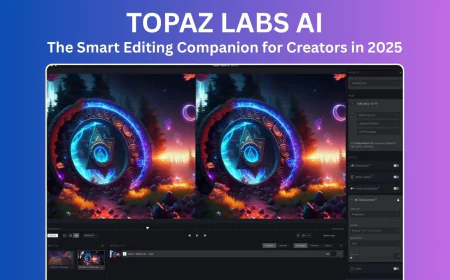





Topaz Labs AI The Smart Editing Partner Every Creator Needs in 2025
Discover how Topaz Labs AI makes photo and video editing simple, smart, and powerful. Learn about Topaz Photo AI, Video AI, and Gigapixel AI — tools that help creators enhance clarity, restore details, and achieve professional-quality visuals with ease.
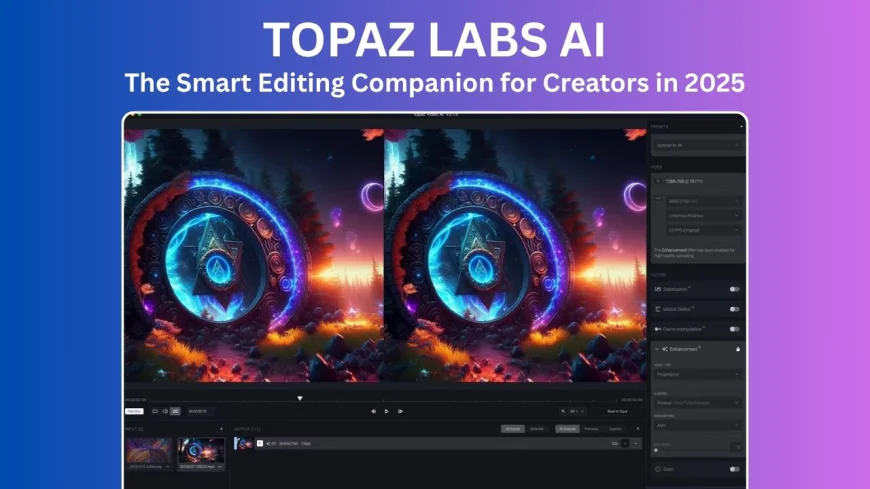
Table of Contents
- Introduction
- What Makes Topaz Labs Special
- Meet the Topaz AI Family
- How the AI Magic Works
- Real-World Performance
- How Creators Use Topaz Labs Every Day
- Pricing and Value for Money
- System Requirements
- Topaz vs Other AI Tools
- Pros and Cons
- Learning Made Easy
- What’s Next for Topaz Labs
- Final Thoughts: Is Topaz Labs Worth It?
-
Introduction
Topaz Labs has become one of the most talked-about names in digital creativity. It’s a company that builds smart AI tools for improving videos and photos — turning dull visuals into clear, detailed, and professional-looking ones. Whether you’re a filmmaker, photographer, or hobbyist, Topaz Labs helps you enhance your work easily without spending hours editing.
Their AI technology is like having a smart assistant that knows exactly what your photo or video needs. It sharpens blurry parts, removes noise, restores lost details, and makes every frame look stunning — all in just a few clicks.
-
What Makes Topaz Labs Special
Unlike normal editing apps that depend on filters or presets, Topaz Labs uses deep learning — a type of artificial intelligence that studies millions of real photos and videos. This helps it understand how natural light, colors, and textures actually look. So, when it enhances your visuals, they appear real and not overly edited.
By blending human creativity with AI precision, Topaz Labs bridges the gap between imagination and technology. You can easily improve portraits, restore old family videos, or upscale low-quality clips into 4K or even 8K — all while keeping the natural look intact.
-
Meet the Topaz AI Family
Topaz Labs offers three main tools that work together to handle almost any creative need:
1. Topaz Photo AI
This is your go-to app for fixing photos instantly. It automatically detects flaws, removes unwanted noise, sharpens edges, restores facial details, and balances brightness. The best part? You don’t have to tweak complicated settings — just upload, enhance, and you’re done.
2. Topaz Video AI
Perfect for video lovers, this tool enhances old or low-quality clips. It can remove shaking, improve motion, upscale resolution, and even create smooth slow-motion shots. Its smart models — like Proteus and Chronos — make videos look cinematic with minimal effort.
3. Topaz Gigapixel AI
When you need huge, high-resolution images, Gigapixel AI is the answer. It can enlarge photos up to six times their size while keeping sharpness and texture. It’s great for printing posters, professional projects, or detailed art.
Together, these three make Topaz Labs a complete editing powerhouse for 2025.
-
How the AI Magic Works
Behind the scenes, Topaz Labs uses advanced machine learning models trained on millions of images. These models “learn” what good quality looks like — they recognize sharp details, correct lighting, and fix blurriness naturally.
- Proteus AI Model: Adjusts sharpness and noise reduction based on each image type.
- Artemis Model: Perfect for natural colors and real-world footage.
- Chronos Model: Smoothly adds or adjusts video frames for realistic motion.
This continuous learning system means Topaz gets smarter with every update, offering even more accurate and faster results over time.
-
Real-World Performance
Many professionals prefer Topaz Labs because it saves time without compromising quality.
- Photographers say they spend 70–80% less time fixing photos.
- Filmmakers use Topaz Video AI to bring old footage back to life in crisp 4K or 8K.
- YouTubers love it for improving clarity and removing visual noise from videos.
In comparison tests, Topaz outperforms many popular tools:
- Recovers more detail than Lightroom’s built-in enhancer
- Handles low-light better than Remini or VanceAI
- Produces smoother slow-motion videos than Runway ML
-
How Creators Use Topaz Labs Every Day
Topaz Labs fits easily into most creative setups.
- Photographers use Photo AI for batch editing — denoising and sharpening multiple images together.
- Videographers restore old footage or make cinematic clips with Video AI.
- Designers use Gigapixel AI for posters, prints, and high-res marketing visuals.
It also works smoothly with Adobe Photoshop, Lightroom, and DaVinci Resolve — or you can use it as a standalone app. The workflow is simple: drag, enhance, export. That’s it.
-
Pricing and Value for Money
Topaz Labs offers both individual licenses and bundle deals. You can buy one app or all three together:
Tool Price License Topaz Photo AI $199 One-time purchase Topaz Video AI $249 One-time purchase Gigapixel AI $99 One-time purchase Topaz AI Bundle $399 Includes all three + one year of updates The lifetime license is a big plus — you pay once and own it forever. Considering the quality and time savings, it’s a great deal for professionals and enthusiasts alike. They also offer free trials and discounts throughout the year.
-
System Requirements
Since Topaz Labs handles heavy processing, it needs decent hardware for best results.
Minimum:
- CPU: Intel i5 / AMD Ryzen 5
- RAM: 16 GB (32 GB recommended)
- GPU: NVIDIA GTX 1660 or better (RTX 3060+ ideal)
- OS: Windows 10/11 or macOS Monterey and above
It works great on Apple’s M2 chips and modern Windows GPUs with hardware acceleration for faster rendering.
-
Topaz vs Other AI Tools
Here’s how Topaz Labs compares with competitors:
Competitor Strength Weakness Adobe Photoshop (AI tools) Deep integration with Creative Cloud Expensive monthly cost Luminar Neo Beautiful filters and effects Limited fine-tuning Runway ML Great for video AI Only works online Remini Quick mobile enhancer Not pro-level results VanceAI Affordable and simple Slower on large files Kira.art Creative design-focused Not built for restoration Topaz Labs wins for offline editing, advanced control, and professional output — all without a subscription.
-
Pros and Cons
Pros:
- High-quality, realistic AI enhancements
- Works offline — no internet needed
- Supports many file types (RAW, MP4, MOV, etc.)
- Lifetime license option
- Frequent AI model updates
Cons:
- Needs strong hardware
- Takes up large storage space
- Occasional bugs after updates
- No advanced color grading like DaVinci Resolve
Overall rating from users: 4.7/5
-
Learning Made Easy
Topaz Labs provides plenty of learning resources:
- YouTube Channel: Step-by-step video guides
- Topaz Academy: In-depth tutorials for professionals
- Community Forum: Tips, presets, and help from other users
- Integration Guides: For Photoshop, Lightroom, and more
Even beginners can get started quickly with these simple tutorials.
-
What’s Next for Topaz Labs
Topaz Labs plans to keep improving its AI in 2025 with:
- Cloud-assisted rendering for faster results
- Generative tools to fill missing objects
- Better face and texture recognition
- Seamless syncing between Photo AI and Video AI
The future looks bright as AI continues to make digital creativity faster, easier, and more impressive.
-
Final Thoughts: Is Topaz Labs Worth It?
Absolutely. If you love creating high-quality visuals without spending hours in manual editing, Topaz Labs is worth every penny. Its tools combine accuracy, automation, and creativity — letting you focus on storytelling instead of technical fixes.
Unlike many software tools that lock you into monthly plans, Topaz Labs gives you lifetime access. It’s not just software — it’s like having an intelligent creative assistant by your side.
So, whether you’re refining portraits, restoring family videos, or building a cinematic masterpiece, Topaz Labs AI helps you do it all — beautifully, simply, and smartly.
What's Your Reaction?
 Like
0
Like
0
 Dislike
0
Dislike
0
 Love
2
Love
2
 Funny
0
Funny
0
 Angry
0
Angry
0
 Sad
0
Sad
0
 Wow
0
Wow
0