



Convert Your Photo into a Funny Sketch Cartoon for Free Using Gemini and Perplexity
Turn any photo into a funny sketch cartoon for free using Gemini and Perplexity AI tools. Easy, fast, and fun for social media or creative projects!
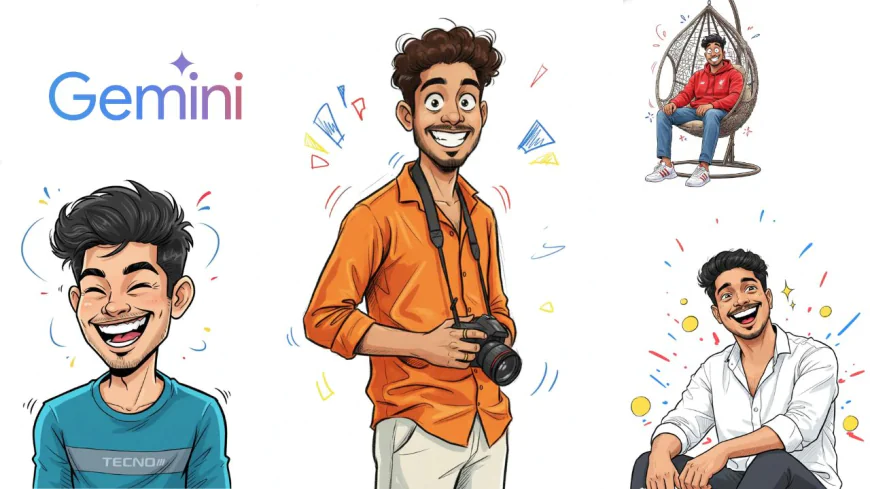
Table of Contents
- Introduction
- What is Gemini and Perplexity?
- Preparing Your Photo for Cartoon Conversion
- Step-by-Step Guide to Using Gemini and Perplexity
- The Image Generation Prompt for a Funny Sketch Cartoon
- Tips for Enhancing Your Cartoon Image
- Pros and Cons of Using Gemini and Perplexity for Cartoon Effects
- Conclusion
-
Introduction
Have you ever looked at one of your photos and thought, “Wow, this would look so cool as a cartoon”? Well, now you can actually make that happen — and the best part? It’s completely free!
Funny sketch cartoons are everywhere these days. People love turning their selfies, pet photos, or travel pictures into silly, creative cartoon versions. They’re fun, they stand out on social media, and they just make people smile. Whether it’s a goofy face or a dramatic pose, cartoon effects add a new layer of fun to normal pictures.
Now, there are many tools online that say they can make cartoon effects, but not all of them are free or easy to use. That’s where Gemini and Perplexity come in. These two AI-powered tools let you turn any photo into a funny sketch cartoon without needing any design skills.
So in this post, we’ll explore how you can do it, what prompt to use, and how to make your cartoon look even cooler.
-
What is Gemini and Perplexity?
Before we start cartoon-izing your photo, let’s get to know our two tools — Gemini and Perplexity.
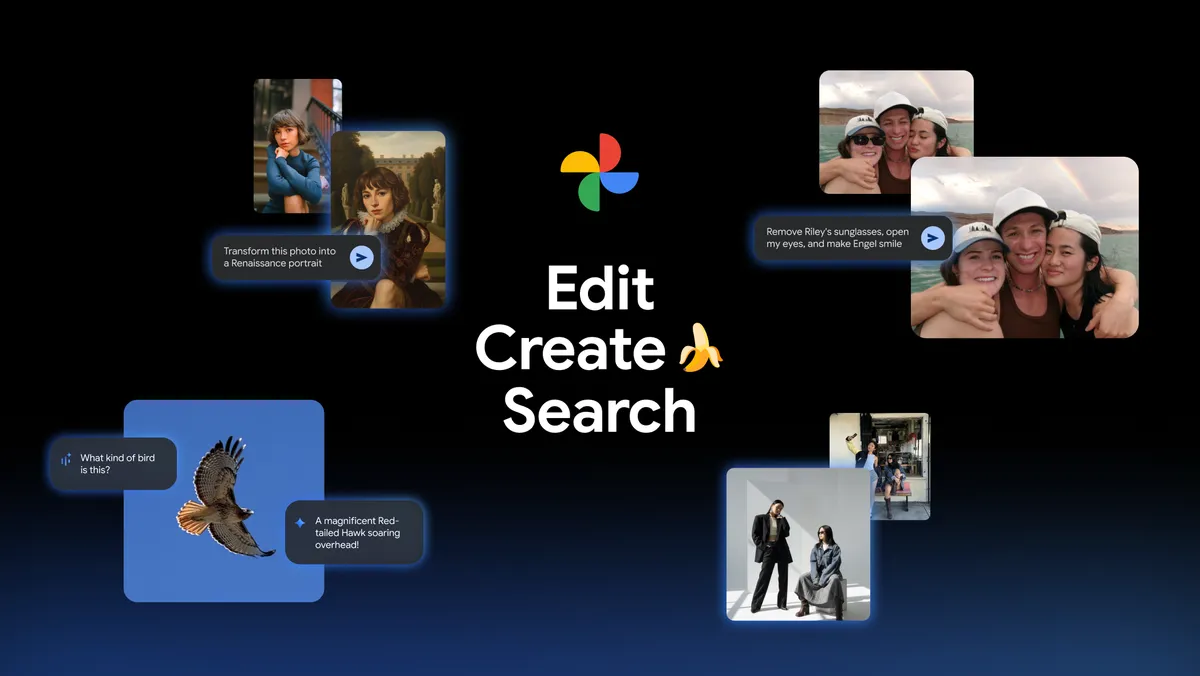
Gemini is Google’s AI assistant (kind of like ChatGPT). It’s really good at understanding prompts, generating text, and even creating or editing images using AI. What’s nice is that Gemini works right inside Google’s ecosystem — so if you already use Google tools, it feels familiar.
Perplexity, on the other hand, is an AI search assistant. It gives smart, well-explained answers and can help generate creative ideas or guide you through tech tasks. But lately, it’s also being used by creators to help with image prompts, because it understands how to describe images in detail.
The best part? Both Gemini and Perplexity are free to use (at least for basic stuff). You don’t need to download any heavy apps or pay for subscriptions just to make a funny sketch. You just need your photo, a web browser, and the right prompt — which we’ll share later.
-
Preparing Your Photo for Cartoon Conversion
Before you upload your picture, you’ll want to pick the right photo. Not every image works equally well for cartoon effects. Here’s what helps:
-
Choose a clear photo. Blurry or dark pictures make it hard for the AI to detect facial details.
-
Face visibility matters. If your face is turned away or hidden behind sunglasses, the cartoon might not look great.
-
Simple backgrounds help too. A clean or plain background makes your cartoon pop more.
-
Good lighting is important — natural light usually gives the best results.
Also, if you can, use a photo with a common image format like .jpg or .png. These work best with most AI tools.
Think of your photo like a coloring book page — the clearer the lines, the better your cartoon turns out!
-
-
Step-by-Step Guide to Using Gemini and Perplexity
Alright, let’s dive into the fun part — turning your photo into a cartoon!
Step 1: Open Gemini (you can find it by searching “Google Gemini AI” in your browser).
Step 2: Log in with your Google account. Once inside, you’ll see a chat box where you can type or paste prompts.
Step 3: Upload your photo (some versions let you drop an image directly).
Step 4: Copy the special prompt (you’ll find it below 👇) and paste it into the chat.
Step 5: Press enter and wait! Gemini will take a few seconds to process the photo and then show your new funny sketch cartoon version.
Step 6: If the first result isn’t perfect, don’t worry. Try tweaking your prompt a little — maybe change the color tone or style words like “ink-style” or “comic look.”
If you want, you can also use Perplexity to re-generate or refine your prompt. For example, you can ask Perplexity to “make this prompt more artistic” or “add watercolor effect,” and then paste the improved prompt back into Gemini.
Repeat this until you get a version you love!
-
The Image Generation Prompt for a Funny Sketch Cartoon
Now here’s the exact prompt you can copy and paste:
🔗 Prompt:
Convert this image into a funny sketch cartoon effect, digitally drawn with expressive ink-style outlines, and exaggerated but recognizable facial features. Use vivid digital colors with subtle shading and mild hatching. Maintain a clean [white] background with a few gestural elements to suggest movement. The style should feel lively, energetic, and hand-drawn, capturing the intensity in a playful, caricature-like tone. The overall aesthetic is kinetic and full of personality.
You can copy this prompt directly into Gemini’s chat after uploading your image.
If you’re using Perplexity, you can use it to rewrite or enhance the prompt before running it in Gemini. -
Tips for Enhancing Your Cartoon Image
Once you’ve got your cartoon, you can make it look even better!
-
Adjust colors: If the skin tone or background looks off, use a free editing app like Canva, Pixlr, or Fotor to tweak it.
-
Add shadows or highlights: This can make the drawing look more “3D.”
-
Add text or emojis: Want to make it meme-style? Add a funny quote or your name in comic fonts.
-
Try filters: Some apps let you apply watercolor or pencil textures to your finished cartoon.
And don’t forget — you can use your cartoon for profile pictures, gifts, posters, or even merch! Imagine having your face turned into a cool comic sticker or a t-shirt print — sounds awesome, right?
-
-
Pros and Cons of Using Gemini and Perplexity for Cartoon Effects
Pros Cons Totally free and easy to use The results might vary sometimes No watermark on images Takes a bit of practice to get perfect prompts Quick and automatic results Limited customization options compared to paid apps Works on any device Requires internet connection Even with these small drawbacks, both tools are super handy if you just want to have fun and experiment without spending a rupee.
-
Conclusion
Turning your photo into a funny cartoon sketch is no longer a tech-geek secret — anyone can do it now! With Gemini and Perplexity, you don’t need to know anything about art or design. Just upload a clear picture, use the prompt, and boom — you’ve got a cool, hand-drawn version of yourself that looks straight out of a comic book.
These AI tools make creativity simple and fun. Whether you’re doing it for laughs, social media, or just to see how AI “sees” your face, the whole process is quick, easy, and kinda addictive.
So go ahead — try it out today! Turn your selfies, pet pics, or even your grandpa’s old photo into a funny sketch cartoon. You might be surprised at how amazing (and hilarious) the results are.
And if you get stuck or have questions about using Gemini or Perplexity, feel free to drop a comment below. I’d love to see how your cartoon experiments turn out! 🎨😄
What's Your Reaction?
 Like
0
Like
0
 Dislike
0
Dislike
0
 Love
0
Love
0
 Funny
0
Funny
0
 Angry
0
Angry
0
 Sad
0
Sad
0
 Wow
0
Wow
0