












Google Gemini Can Now Create Presentations in Seconds – Easy Guide to the New AI Feature
Discover Google Gemini’s new AI feature that automatically creates presentations in seconds using the Canvas tool. Learn how it works, who can use it, and why it’s perfect for students, teachers, and professionals.
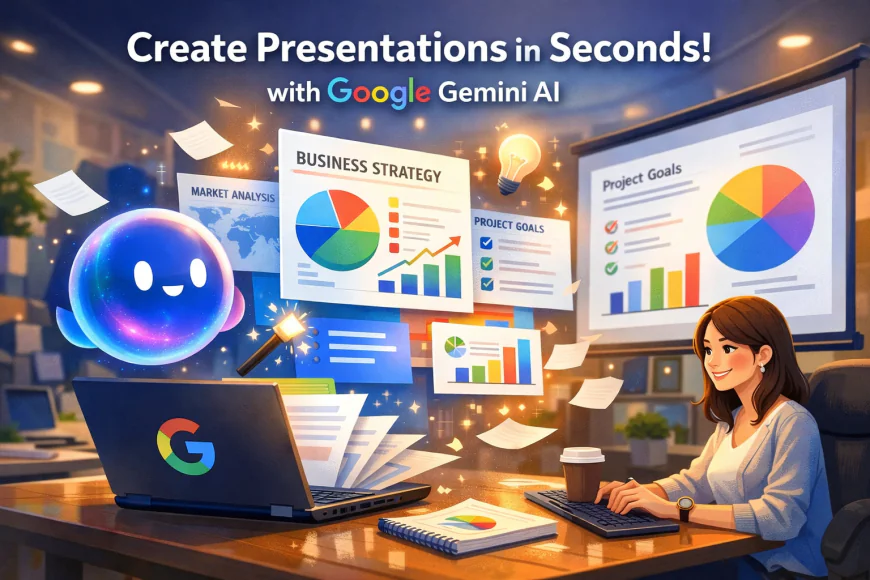
Google’s Gemini has been getting a lot of attention lately, and for good reason. After surprising everyone with its portrait-making abilities, the AI assistant is now taking things a step further — it can create full presentations for you in just a few seconds. Yes, you read that right. Instead of spending hours designing slides, you can now let Gemini do the work while you focus on your ideas. Let’s understand what this new feature is all about, how it works, and how you can use it to make your life easier.
What Is Google Gemini?
Before we talk about the new feature, let’s quickly go over what Gemini actually is. Gemini is Google’s advanced AI assistant, designed to help people with different tasks like writing, summarizing, creating images, answering questions, and more. You can think of it as a helpful digital friend who can turn your words and ideas into something creative and useful — from essays to art.
Recently, Gemini has been competing strongly with ChatGPT and other AI tools. It’s getting new updates regularly, and one of the latest features is something many students, teachers, and professionals will love — automatic presentation generation.
The New Feature: Presentations in Seconds
So, what’s new? Gemini can now create presentations automatically using its built-in tool called Canvas. The Canvas tool was already part of Gemini, but now it’s being updated to include presentation-making capabilities. This means Gemini can take your content — like a report, a research paper, or even a few sentences — and turn it into a complete slide deck.
You can ask Gemini to make a presentation on almost any topic. For example:
-
A summary of a book you’ve read
-
A science project on climate change
-
A company product launch deck
-
A case study for work or school
It’s like having a mini designer and content expert working together — instantly.
How Does It Work?
The process is very simple and user-friendly. Once this feature is available on your account (it’s first coming to Pro users, and later for everyone), here’s how you can try it:
-
Upload a file: You can upload a research paper, report, or even a book.
-
Give a simple command: For example, say, “Create a 10-slide presentation from this document” or “Summarize the main points into slides.”
-
Let Gemini do the rest: The AI will read your file, pick out the key ideas, and create a neat and structured slide deck for you.
You can also skip the uploading part and just use text prompts. For example, you can say, “Create a presentation about the effects of climate change on animals,” and Gemini will prepare one for you.
What Kind of Presentations Can You Make?
Gemini’s presentation generator is flexible. You can make different types of slides depending on your need. Here are some examples:
1. Book Insights
If you upload a book or its summary, Gemini can extract the main ideas and arrange them into slides. It can even include quotes, key points, and short explanations. This can be really helpful for students who need to present a book review or summary in class.
2. Educational Presentations
Teachers or students can create lesson slides easily. For instance, you can ask Gemini to make a presentation on “climate change for high school students.” It can include causes, effects, examples, and possible solutions, along with suggestions for visuals or infographics.
3. Product Launch Deck
If you work in marketing or a startup, you can ask Gemini to prepare a product launch presentation. It can organize slides into sections like “Problem,” “Solution,” “Demo,” “Pricing,” and more. You can even get speaker notes and an executive summary.
4. Onboarding Guide
Companies can use Gemini to make onboarding slides for new employees or users. For example, a presentation that shows what to do in the first week, key setup steps, and common mistakes to avoid.
5. Case Studies
Professionals can generate case study slides showing a client’s problem, the solution used, and the results. Gemini can even include quotes, data, and key lessons learned.
Why This Feature Matters
This new update isn’t just about saving time — it’s about making creation easier for everyone. Not everyone is skilled at designing slides or formatting content. Gemini removes that stress by doing it automatically. Whether you’re a student preparing a school project or an employee working on a business report, you can now get your slides ready in minutes instead of hours.
Here are some reasons why this feature can be a game-changer:
-
Saves time: No more long hours formatting PowerPoint slides.
-
Easy for beginners: You don’t need to be a design expert.
-
Customizable: You can edit the slides afterward if you want to add your own touch.
-
Helps learning: It makes summarizing and explaining topics simpler.
-
Encourages creativity: You can focus on ideas instead of layout or design.
Who Can Use It?
Right now, this presentation feature is being rolled out to Gemini Pro users, which usually includes people using Google Workspace or Enterprise accounts. But don’t worry — Google plans to make it available to all users in the coming weeks. So, if you don’t see it yet, it might appear soon in your Gemini app or on your Google account.
A Step Toward Smarter Work and Learning
With every update, Gemini seems to be getting closer to becoming a true all-in-one assistant. First, it impressed everyone with realistic AI portraits, and now it’s entering the productivity zone. Creating slides might seem simple, but it’s a task millions of people do every day — from students and teachers to business professionals. Automating it means more time for thinking, learning, and creativity.
This feature also shows how AI tools like Gemini are not here to replace humans, but to assist us. They handle the repetitive parts of work so we can focus on what really matters — ideas, storytelling, and decision-making.
Final Thoughts
Google Gemini’s new presentation tool is another example of how AI is becoming more practical and helpful in everyday life. Whether you’re preparing a school presentation, explaining a concept, or launching a new product, Gemini can turn your words into a complete, polished deck in seconds.
If you already have access to the feature, try uploading a simple document or typing a prompt and watch the magic happen. If not, keep an eye out — it’s coming soon to more users.
With tools like Gemini, creating something impressive is no longer a time-consuming job. It’s a quick, creative, and even fun process that anyone can do with just a few clicks.
What's Your Reaction?
 Like
0
Like
0
 Dislike
0
Dislike
0
 Love
2
Love
2
 Funny
0
Funny
0
 Angry
0
Angry
0
 Sad
0
Sad
0
 Wow
0
Wow
0